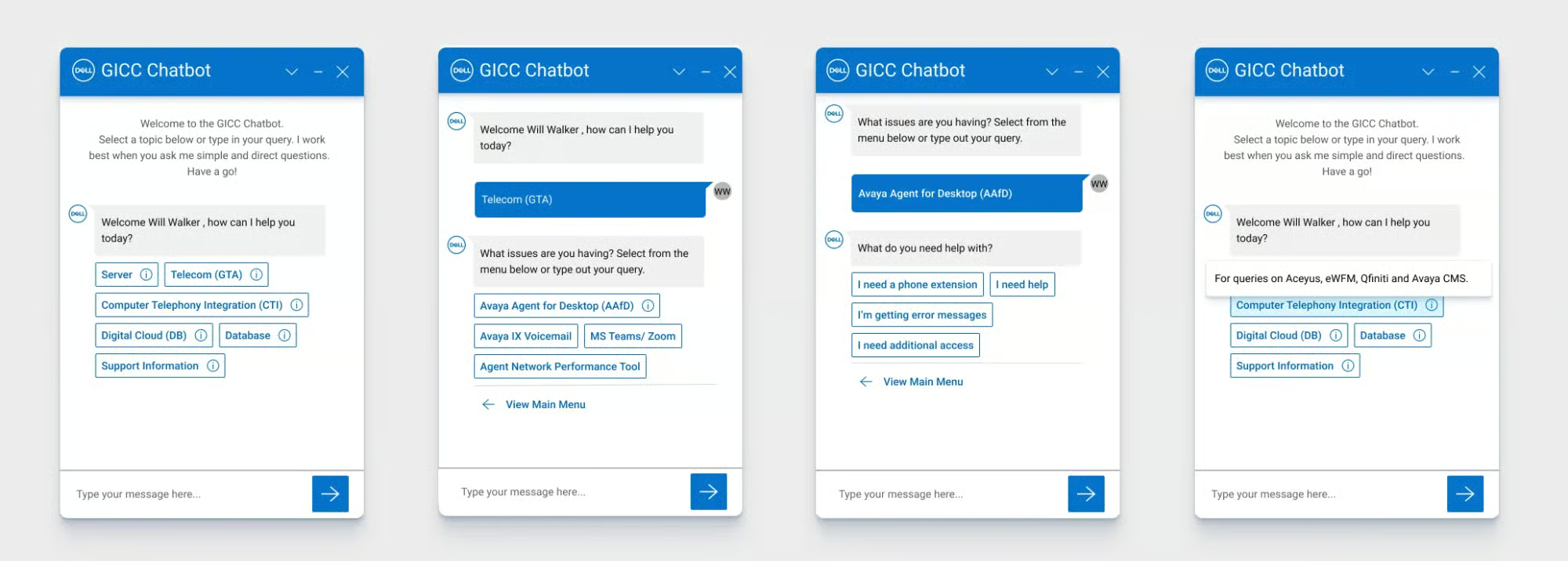
The context
Dell's support team was drowning in repetitive inquiries, password resets, account access, delivery tracking. Customers waited over an hour for answers that required no human intervention, and agents spent 60% of their time on requests a bot could handle.
The real assignment wasn't just automation. It was making sure users genuinely trusted the automation.
Phase 1: Achieving automation
Research & prioritization
Interviews with support agents identified three high-volume ticket categories:
- Password resets: 28% of all tickets
- Account access issues: 19%
- Delivery status updates: 15%

We mapped complete user journeys from problem discovery through resolution, pinpointing where self-service could take over.
Design principles
- Clarity: simple options, minimal clicks
- Empathy: language that acknowledged frustration without being hollow
- Safety net: seamless escalation to a human agent, always visible, never hidden
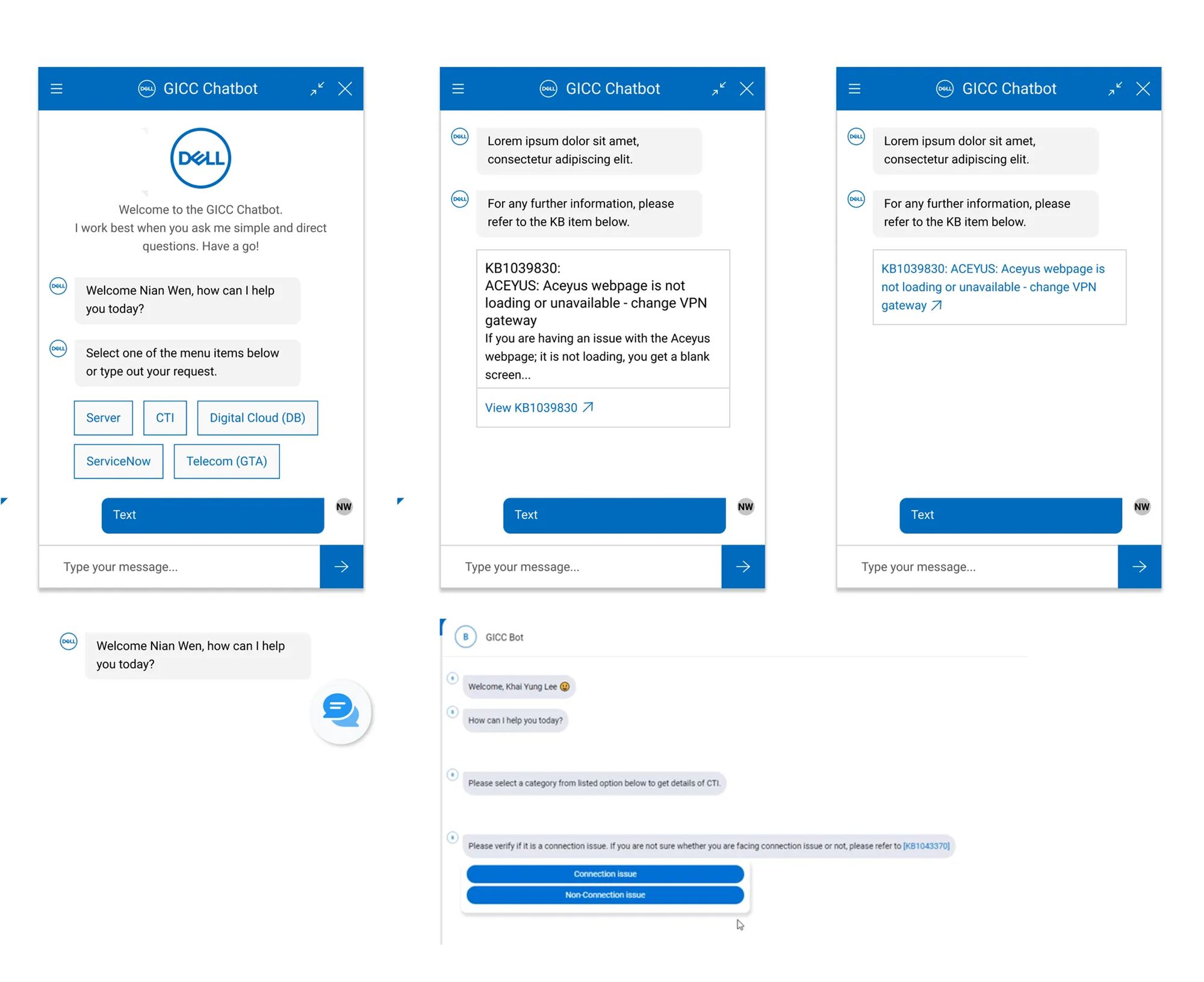
Phase 1 results
60% fewer support tickets in targeted categories. One-hour waits eliminated. Significant cost savings.
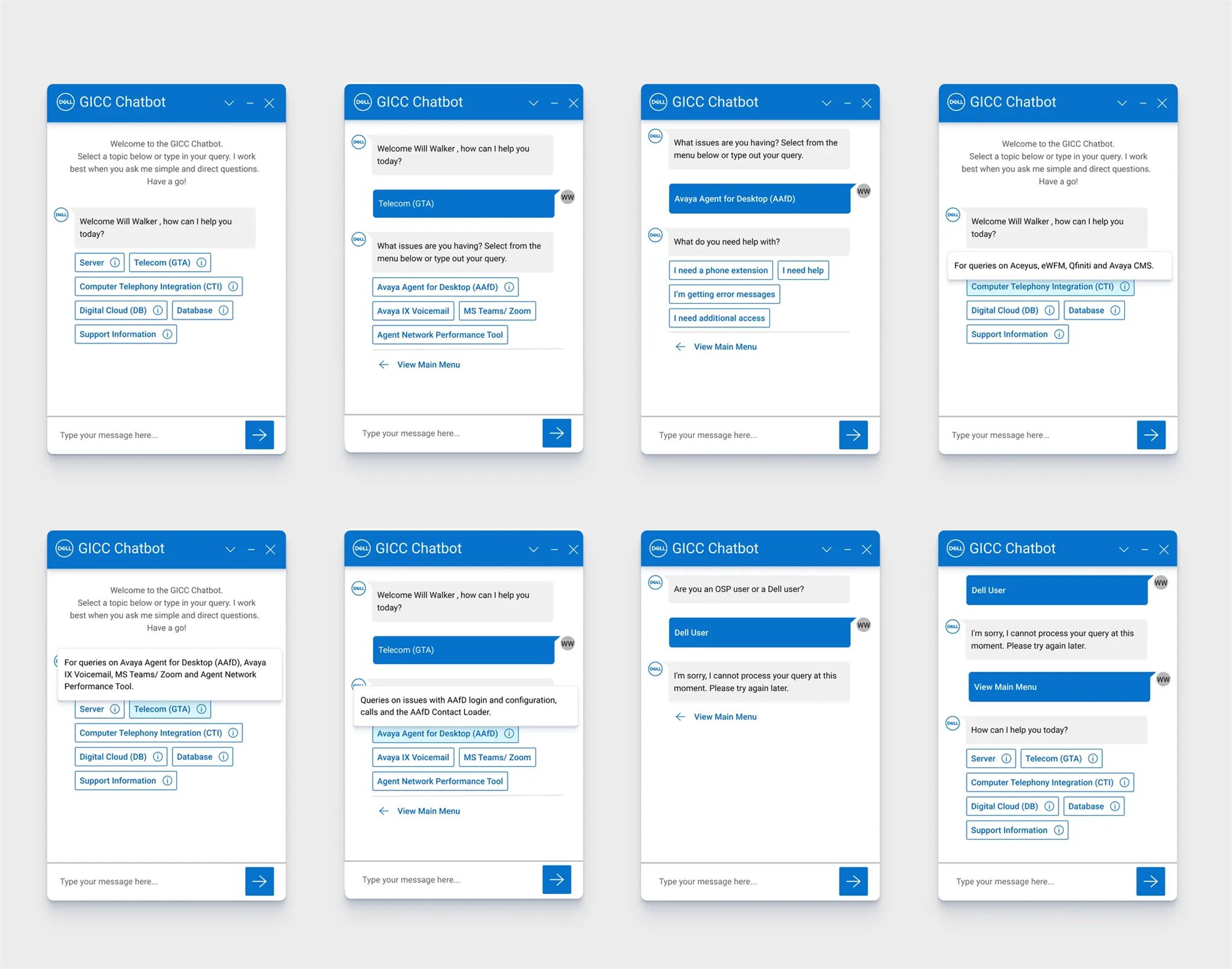
Phase 2: The trust gap
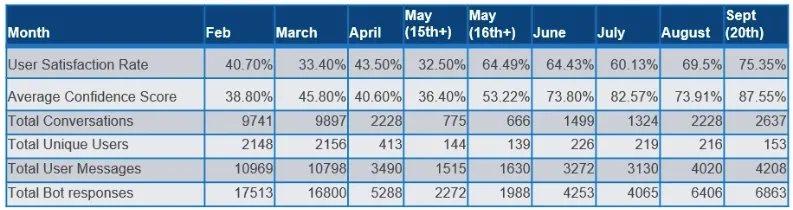
Then post-launch surveys delivered the twist: only 40% of users felt confident the chatbot could actually help them. The automation worked, but users doubted it understood them, many circumvented the system or abandoned mid-session.
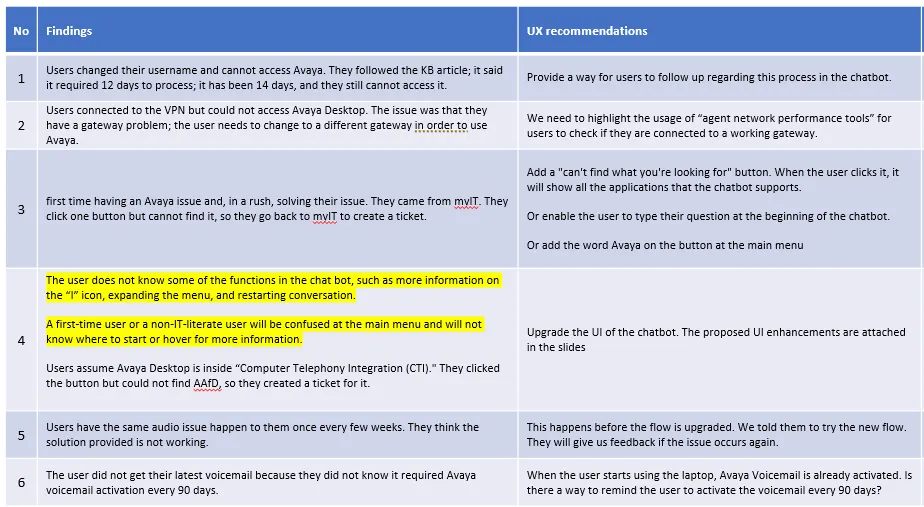
Automation without trust is useless.
Uncovering root causes
- "It feels cold and robotic"
- "I'm not sure if it understood my problem"
- "I don't know when I can talk to a real person"
Accessibility testing added a crucial signal: the conversational tone confused screen reader users, who needed clear, procedural instructions.
Pivotal realization
Users didn't want an anthropomorphic chatbot, they wanted a competent system. For technical support, precision builds more trust than warmth.
The redesign
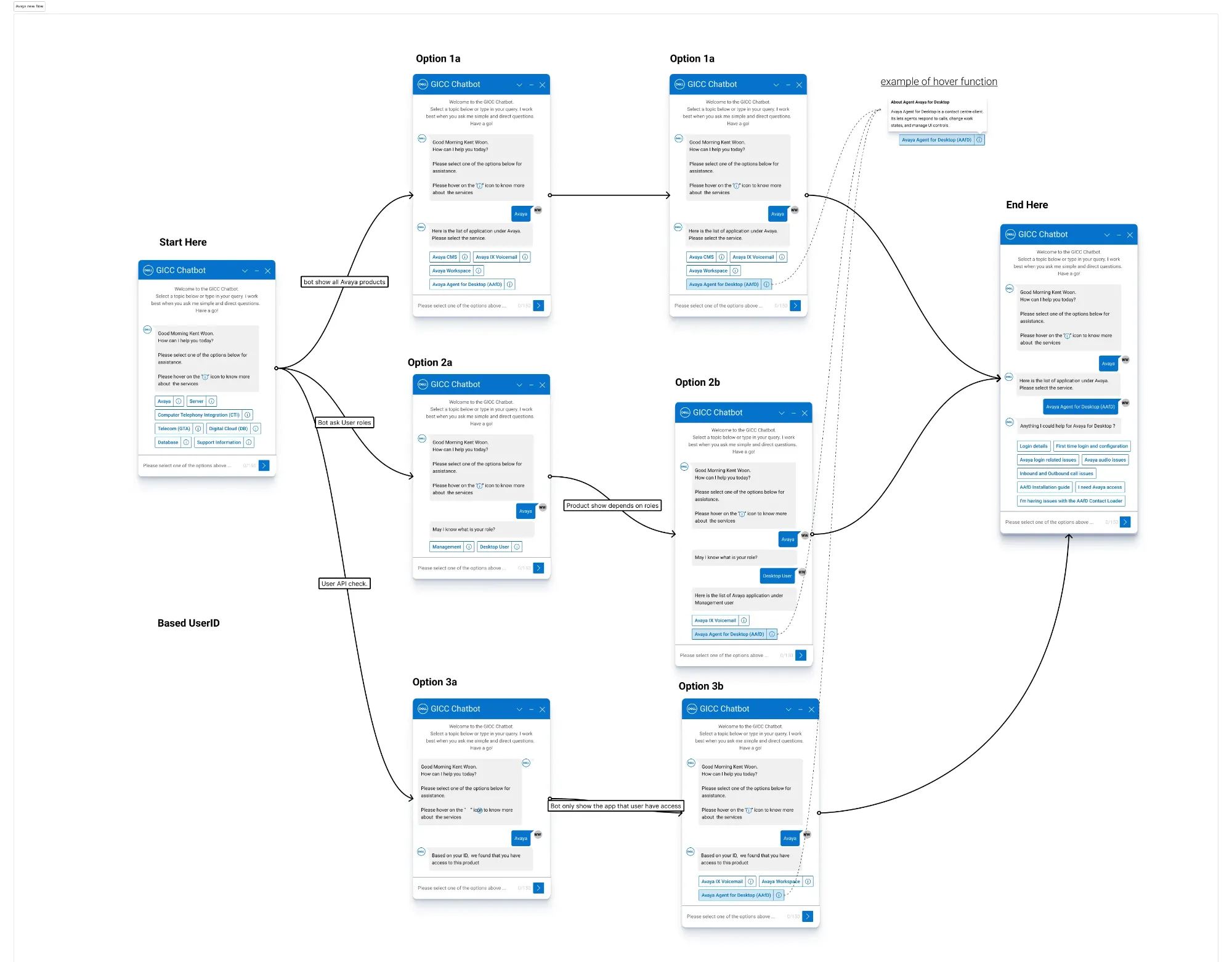
1. Tone shift: from friendly to instructional
Before: "Hey there! I'm here to help you out today 😊"
After: "I can help you reset your password or check account access. Select your issue."
2–5. Structural trust signals
- Progress transparency: clear indicators of where you are in the flow
- Upfront capability statements: the bot says what it can and can't do
- Escalation visibility: the human agent option is constantly accessible
- Hypothesis validated: technical support users prioritize machine-like precision over human-like warmth
Outcome
Key takeaway
Functional efficiency and user trust operate independently, an effective but distrusted chatbot still gets abandoned. Technical support users seek competent tools, not conversational partners.
Design patterns aren't universal. Context matters. What works for ChatGPT doesn't necessarily work for password resets.
What I'd do differently
Test tone hypotheses during prototyping rather than post-launch, that would have surfaced the trust gap 2–3 months earlier. And include screen reader users in initial testing instead of Phase 2, which would have flagged accessibility issues sooner and guided the tone decision from the start.